Using Flows to Edit Tables
Before You Start
Before you can modify a Table, you must extract the table data using a Python action. This ensures your script knows exactly which Row it is targeting. In this example “broker_mapping” is the Table name.
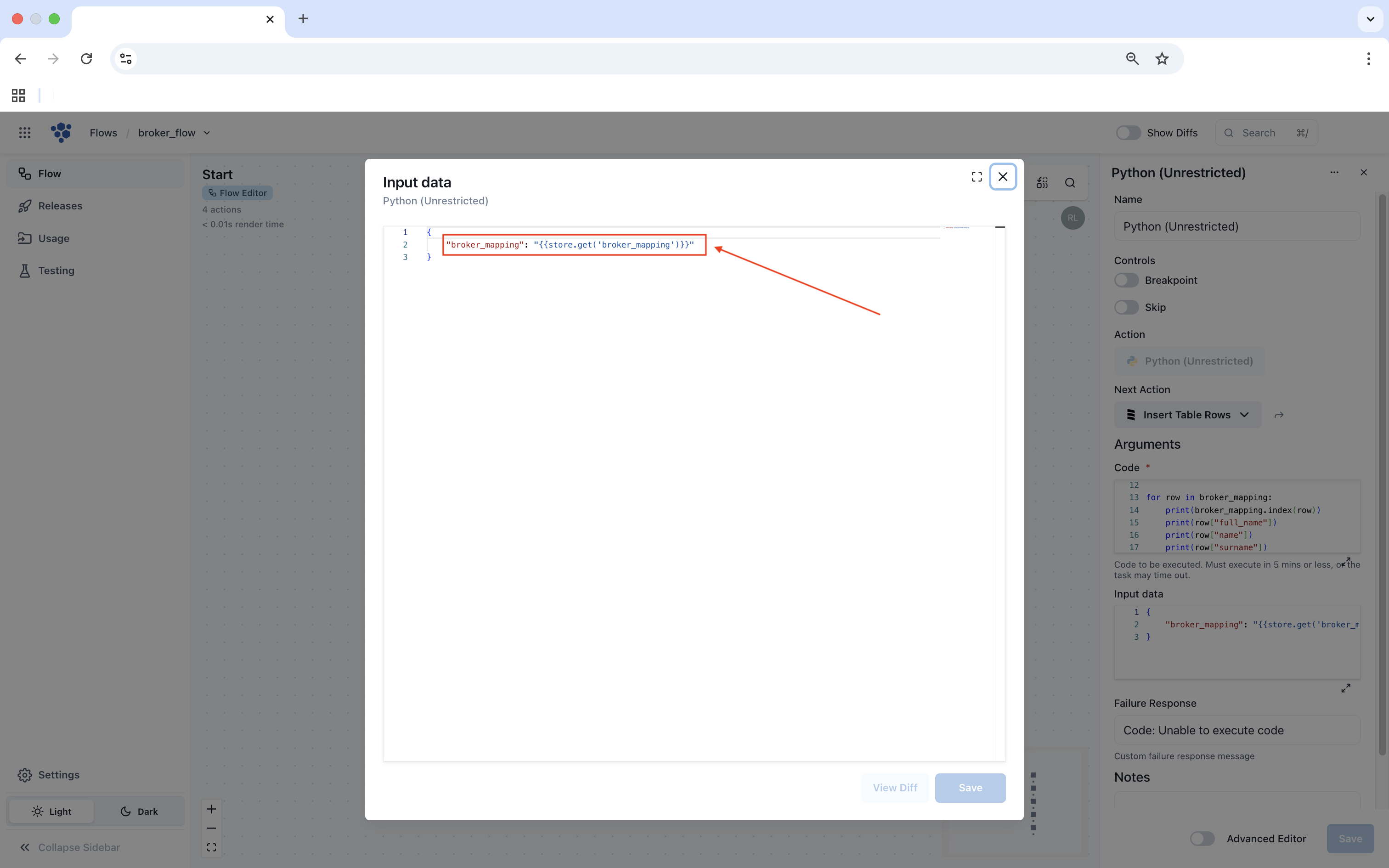
- Input Data: Use
{{store.get('broker_mapping')}}to pull the table data into your script. Click Save.
The Code
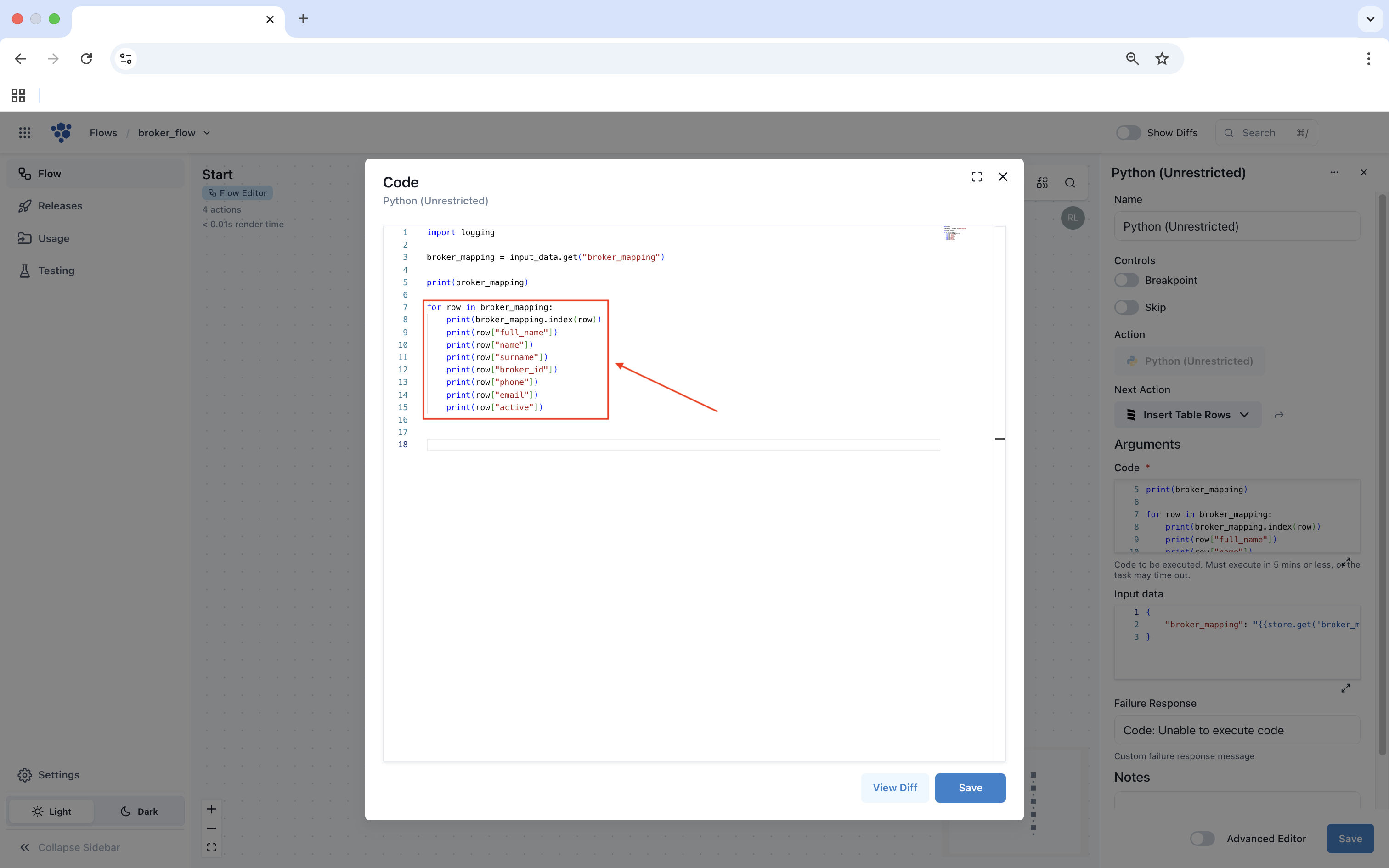
To invoke our Table from the Input Data field we will save it to a variable in the script.
broker_mapping = input_data.get("broker_mapping")
A For Loop can be used to iterate over the Rows within the Table. The below example iterates over each row in "broker_mapping" and prints its contents.
Select Save to save your code.