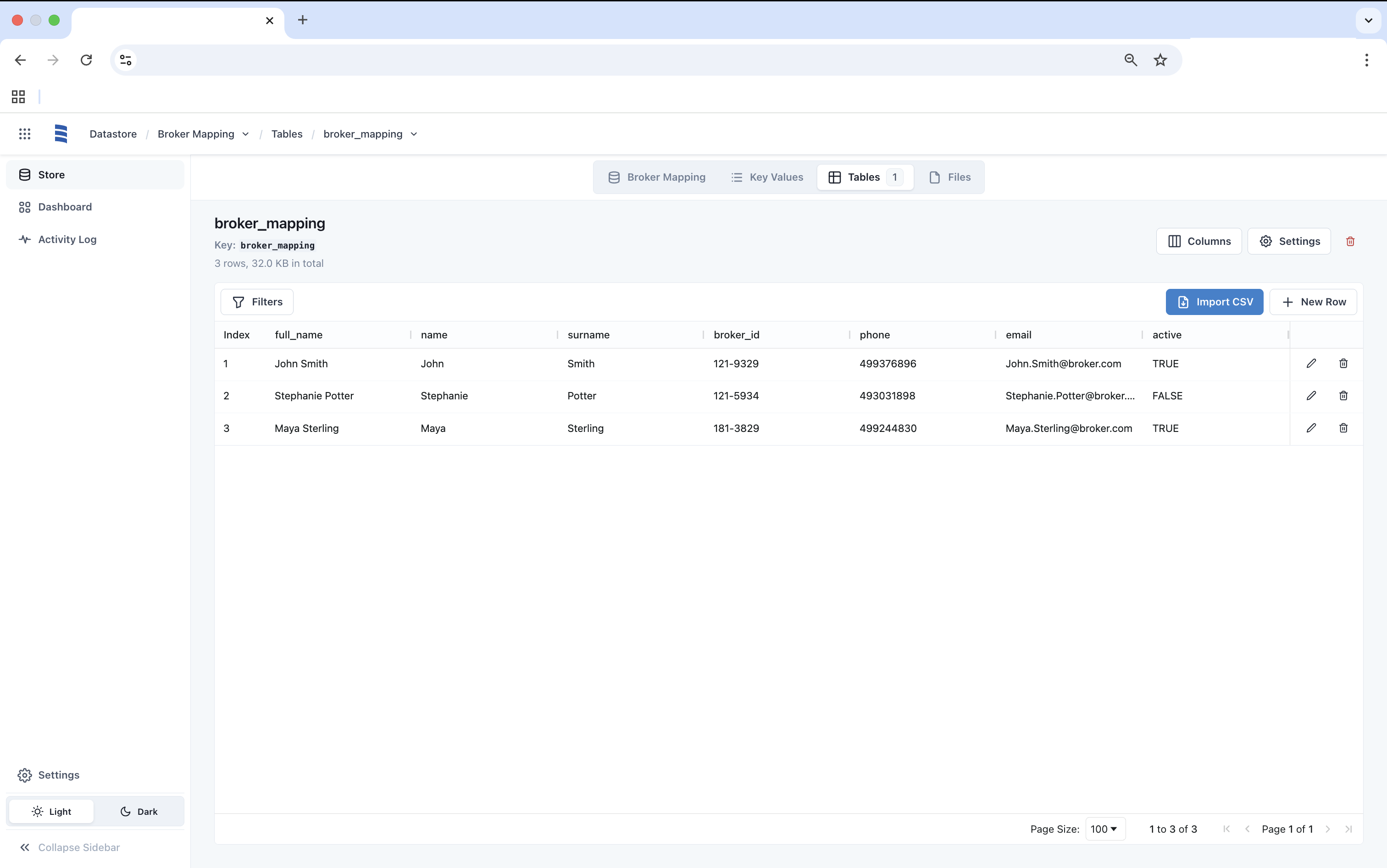
Creating a Table
Create a Table Manually
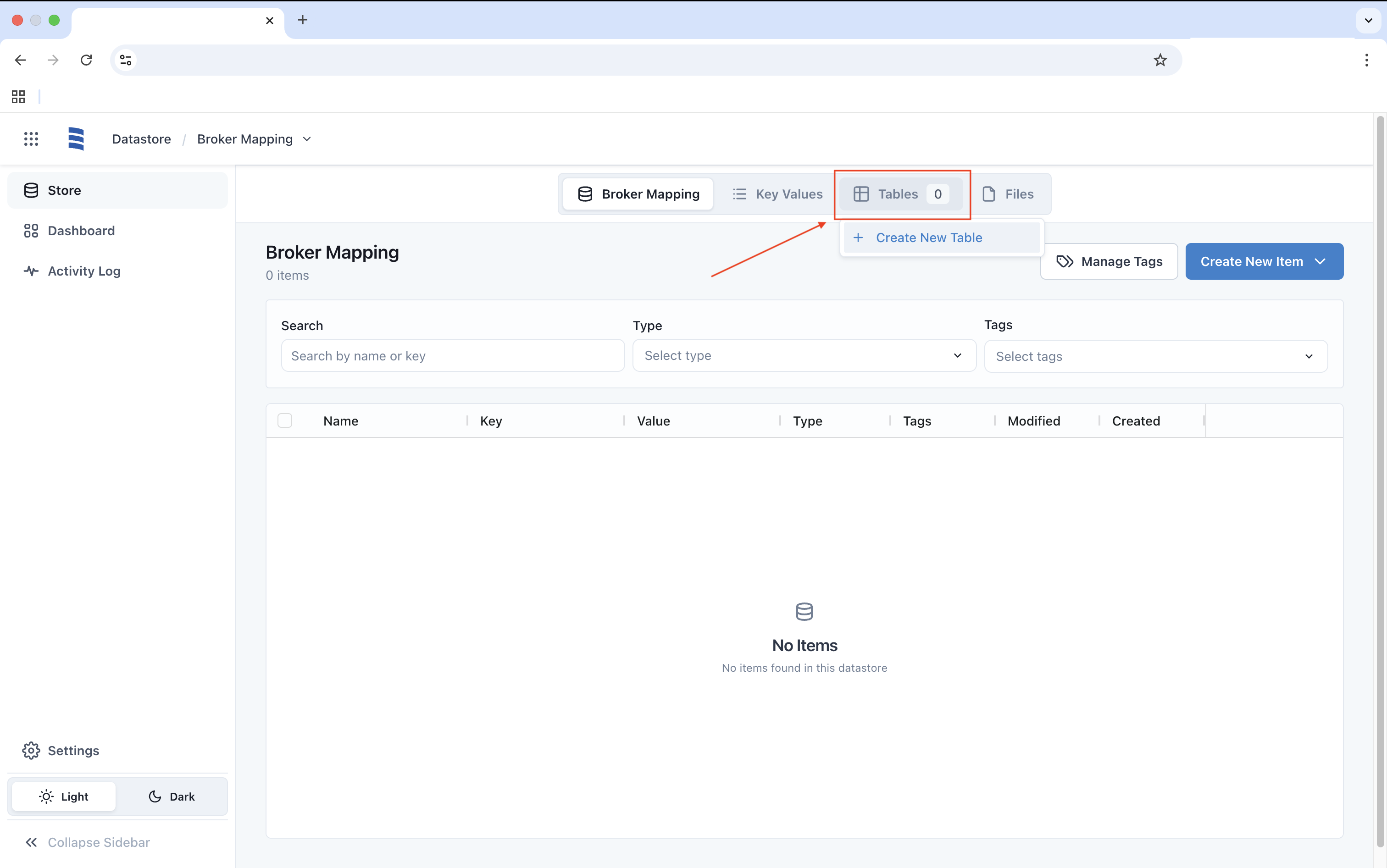
You can create a Table either in the Overview page or by clicking on the Tables tab to select the Create New Table option.
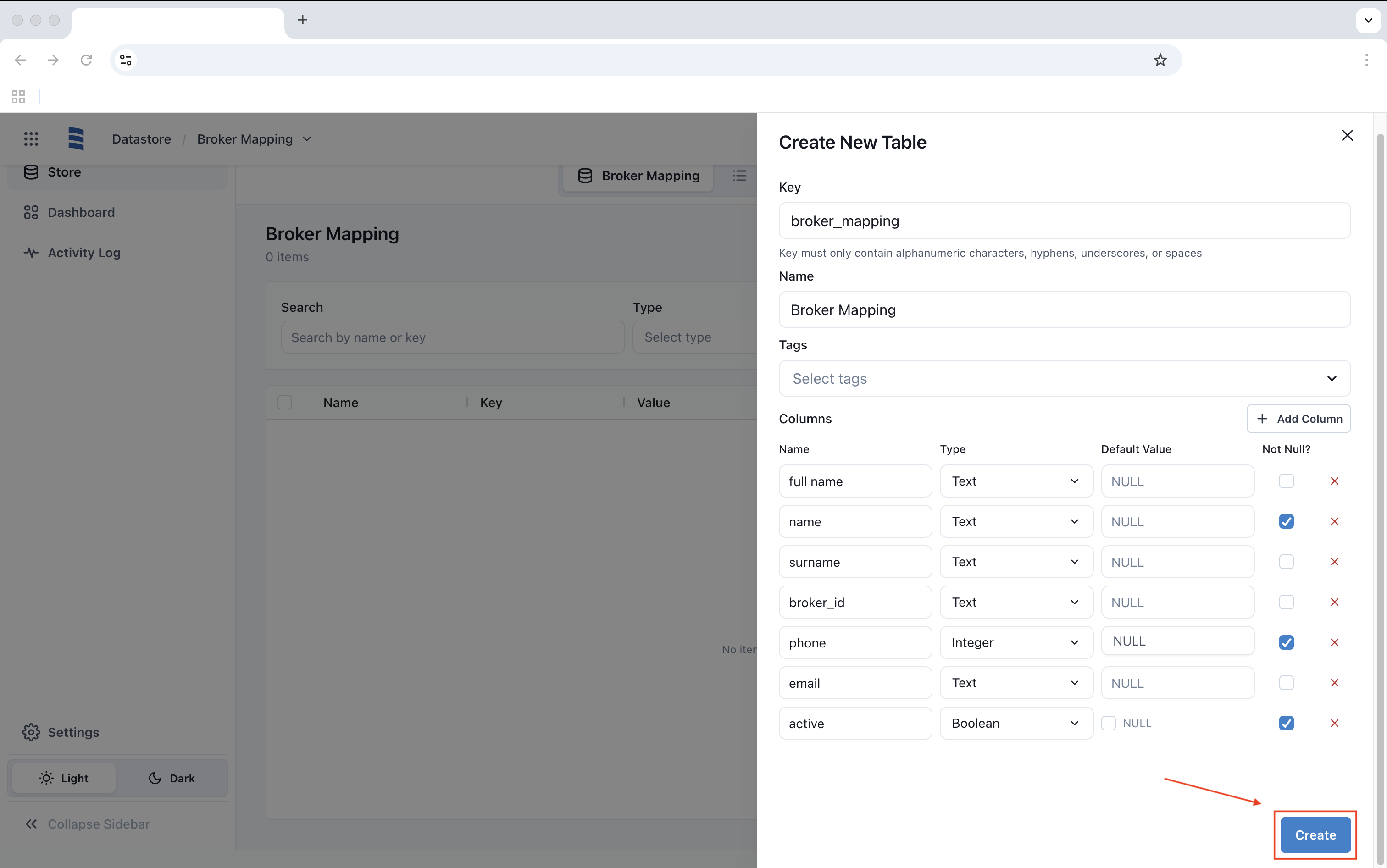
Once selected, enter the values and click Create.
Create a Table With a CSV File
CSV Import is still available with Datastore, you would need to create a table with a single column or have it match your existing CSV columns.
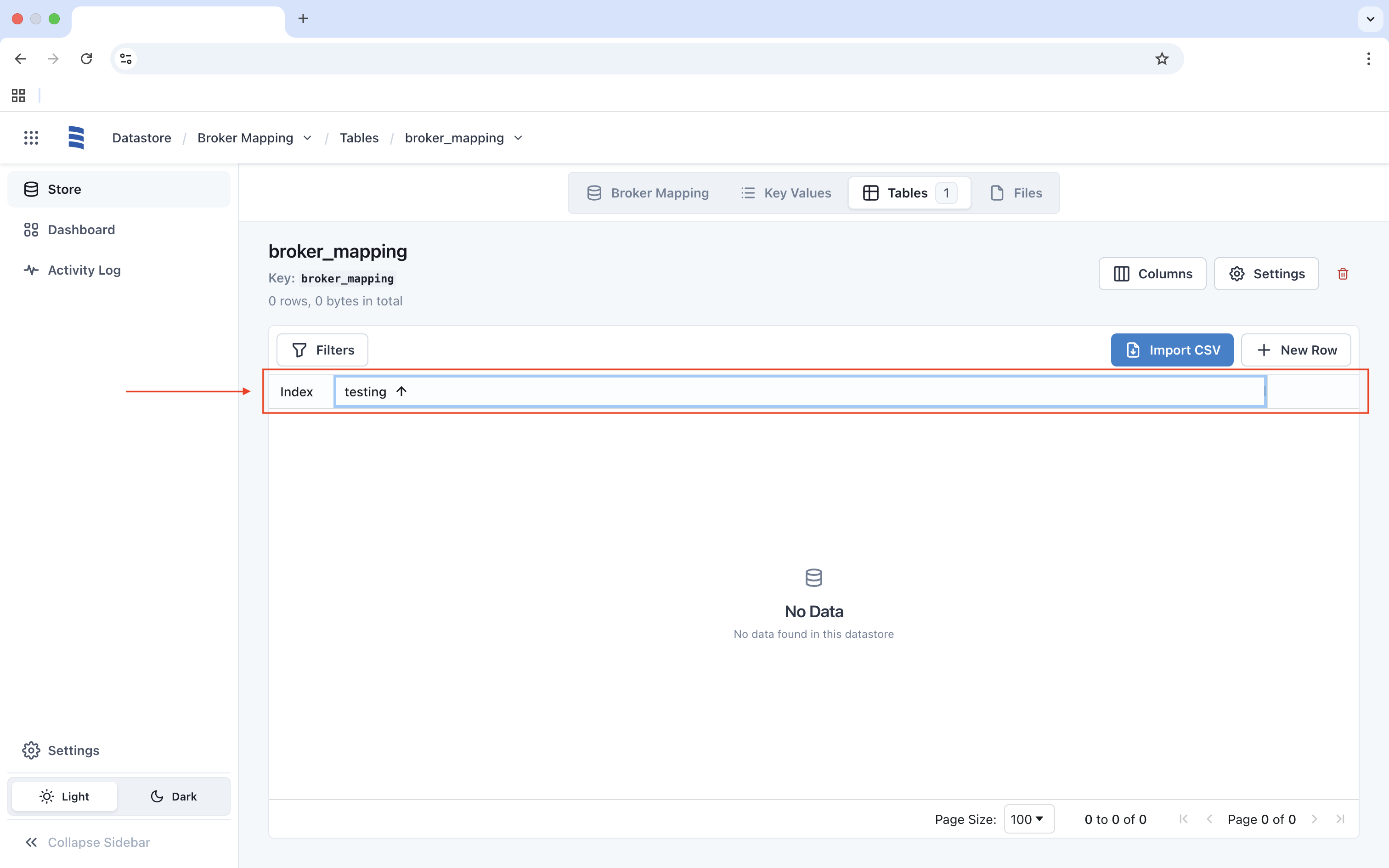
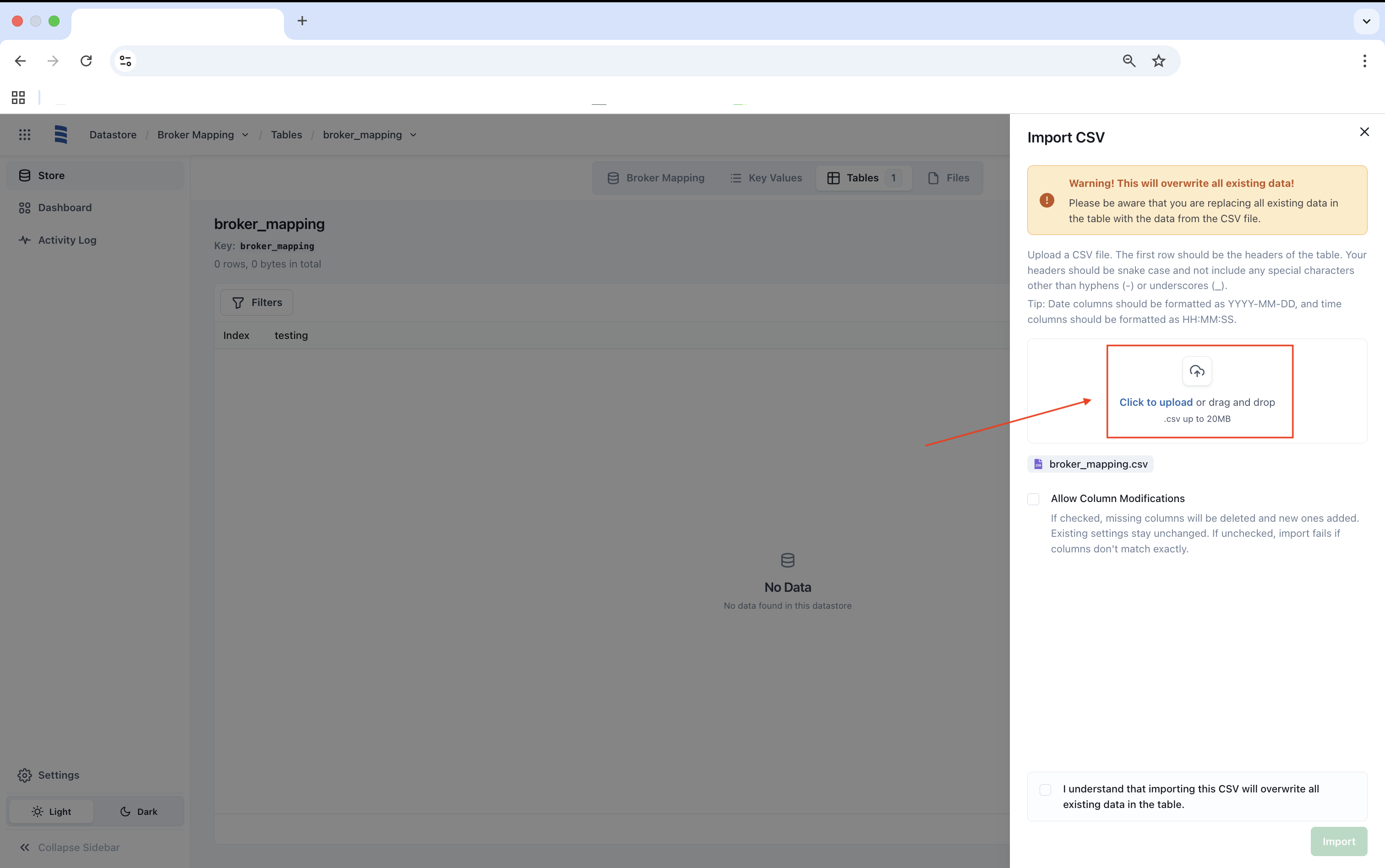
Once a column has been created, click on Import CSV and click to upload or drag and drop your CSV file.
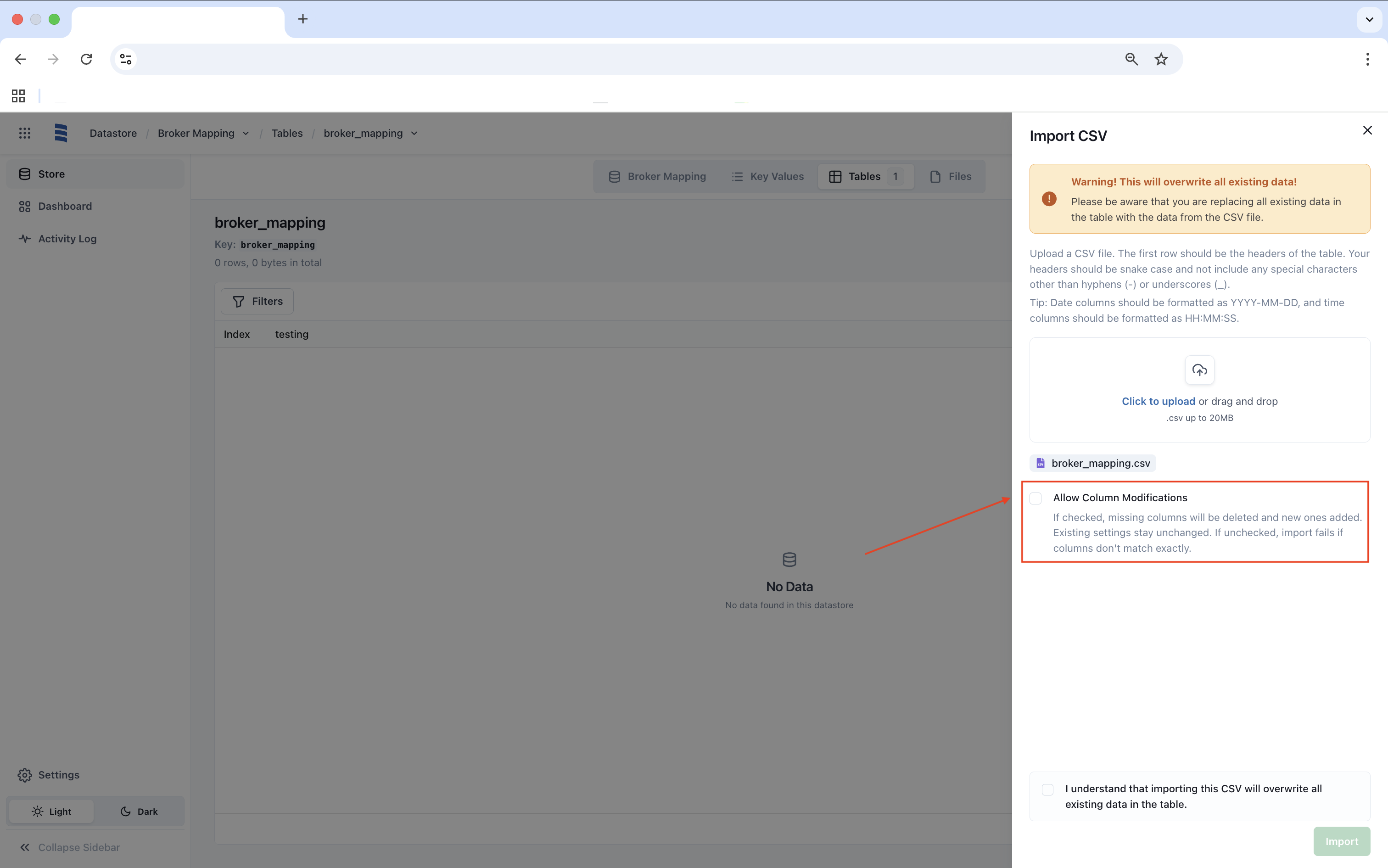
Be mindful of the option Allow Column Modification as it could alter your existing table. In this example, we will click Allow.
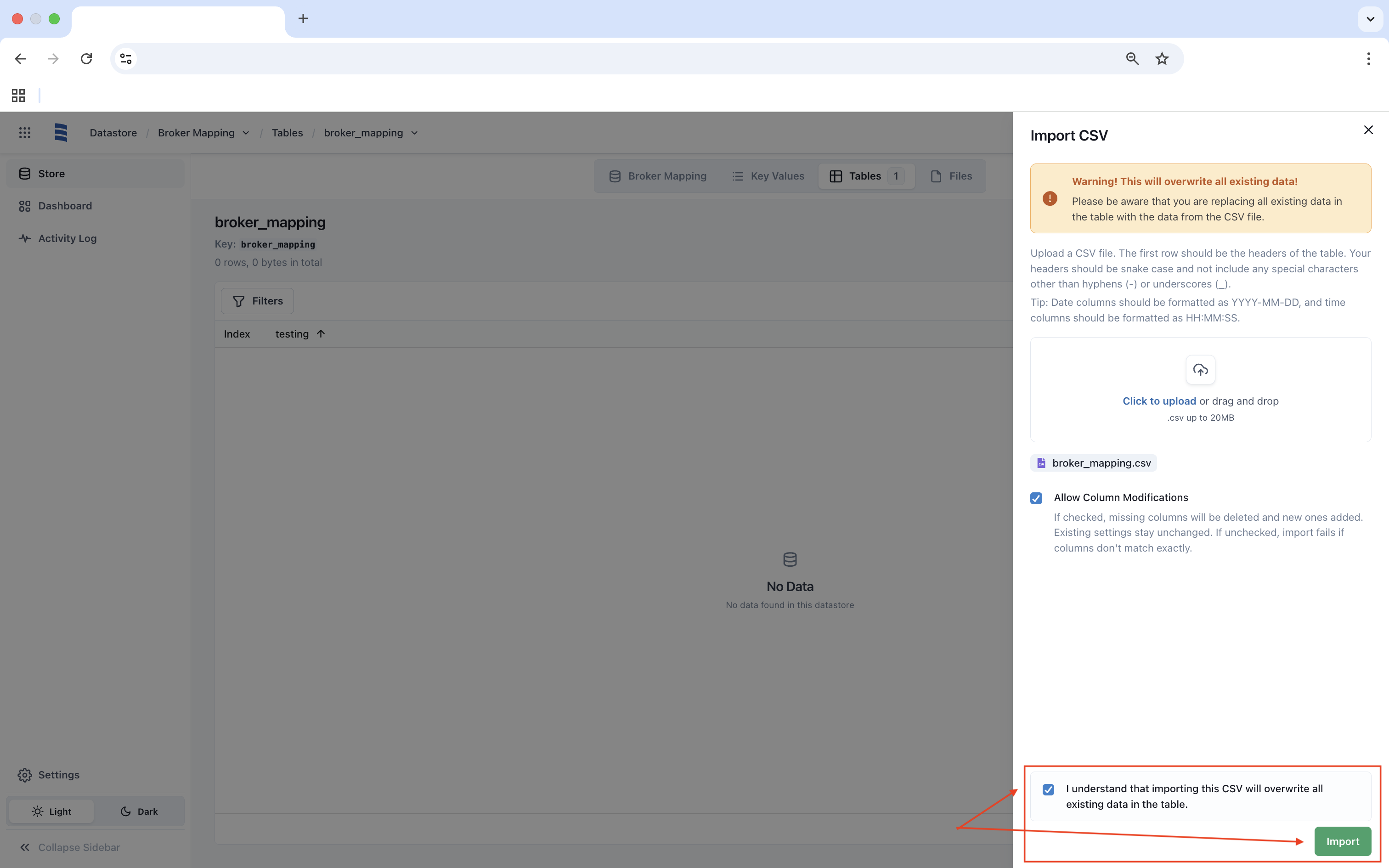
Once uploaded, agree to importing the CSV and click Import.
Once imported, the CSV will be displayed as a Table as shown below.