Pause a flow
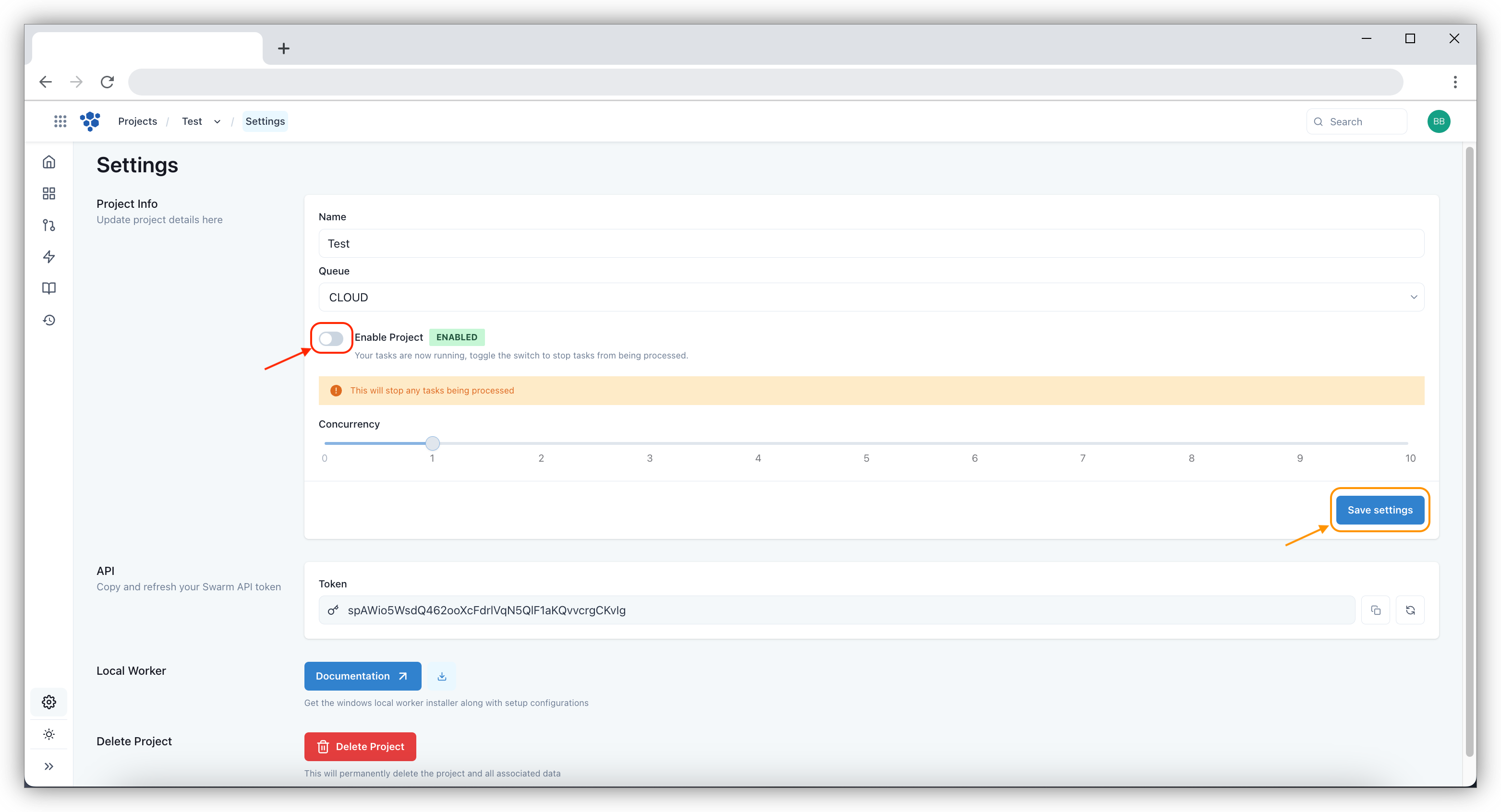
To pause a flow, navigate to the Settings section. Click the toggle button Enable Project and click on Save
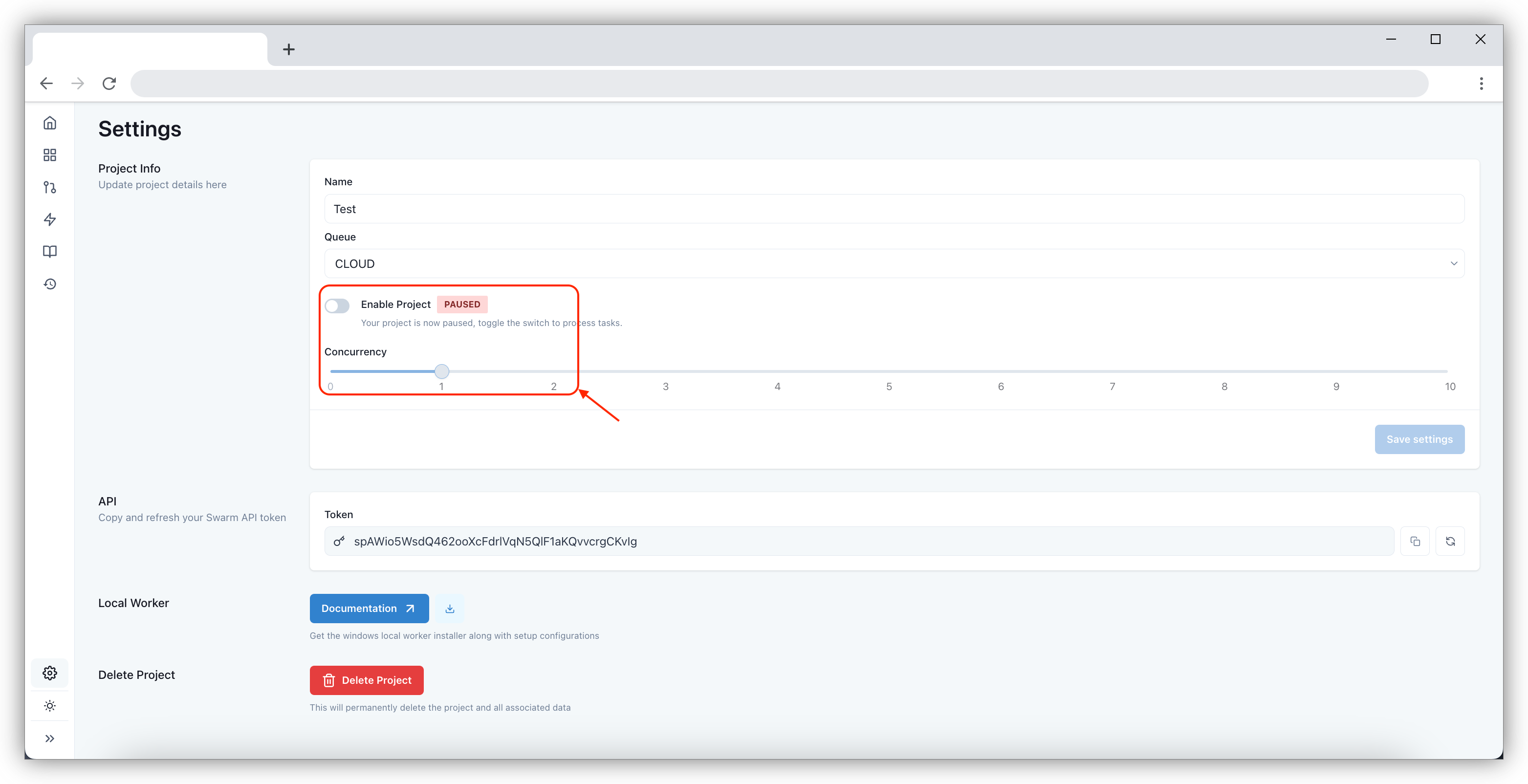
Once the Concurrency is paused on the screen it will show up as PAUSED
note
Any new tasks received when the flow is paused will not be actioned and remain as QUEUED within the Tasks screen.