Keyboard shortcuts
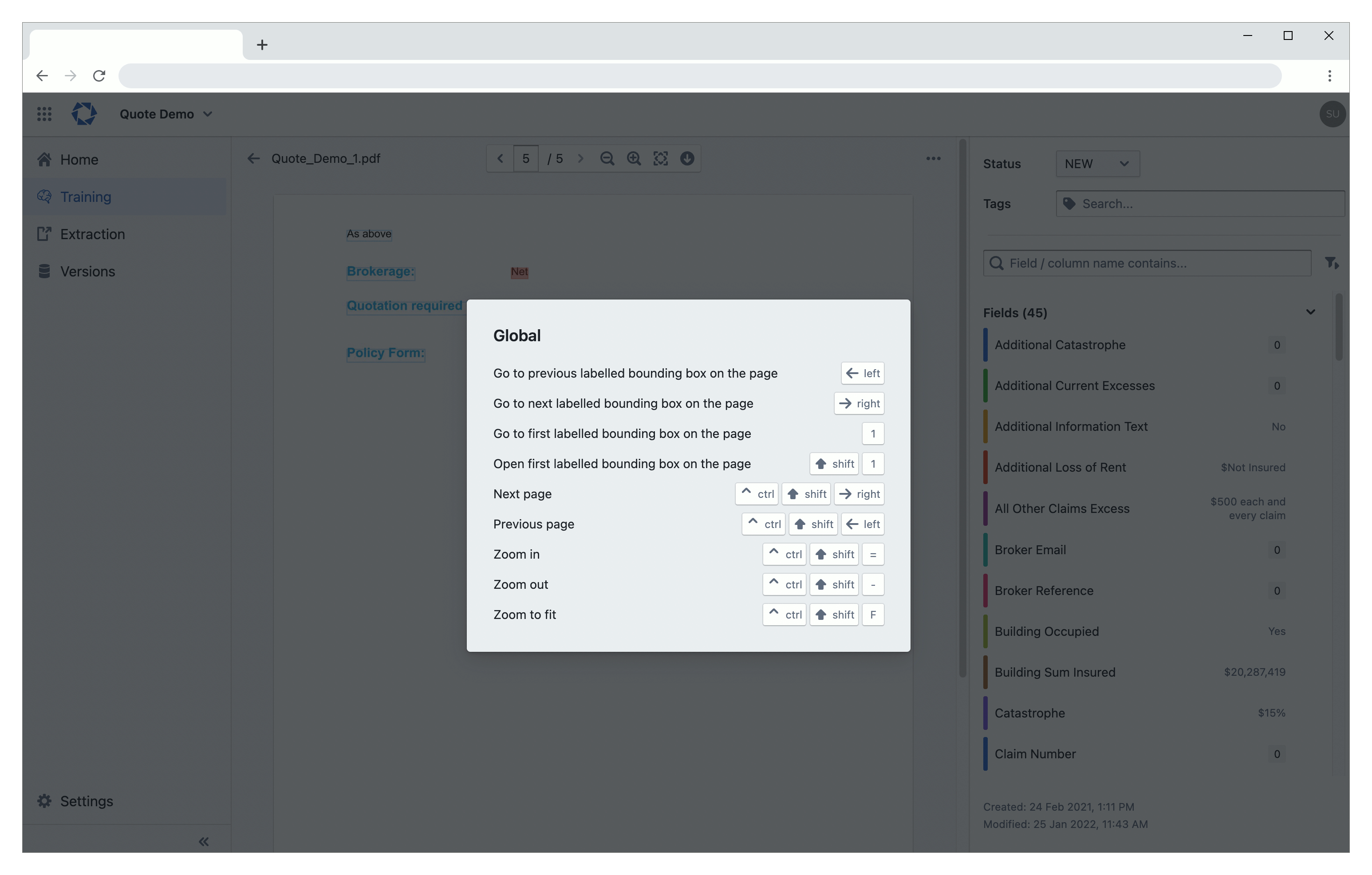
You can use keyboard shortcuts to work more efficiently. To see a list of keyboard shortcuts, press Shift + ? within the portal.
Notes
- A plus sign (+) in a shortcut means that you need to press multiple keys at the same time.
- A left arrow sign (←) in a shortcut means that you need to press the left arrow key.
- A right arrow sign (→) in a shortcut means that you need to press the right arrow key.
- Exfil
- Swarm
Use these shortcuts when opening a document in Exfil.
| Action | Shortcut |
|---|---|
| Go to first labelled bounding box on the page | 1 |
| Go to next labelled bounding box on the page | → |
| Go to previous labelled bounding box on the page | ← |
| Open first labelled bounding box on the page | Shift + 1 |
| Go to next page | Ctrl + Shift + → |
| Go to previous page | Ctrl + Shift + ← |
| Zoom in | Ctrl + Shift + = |
| Zoom out | Ctrl + Shift + - |
| Zoom to fit | Ctrl + Shift + F |
These shortcuts work in Swarm task data and flow editor.
| Action | Shortcut |
|---|---|
| Save data (in task data editor) | Ctrl + S |
| Save action (in flow editor) | Ctrl + S |